PlayCraft / Gallery / Patterns / Stat rows
Stat rows
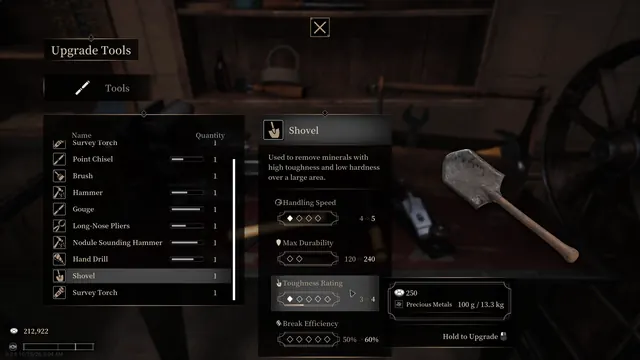
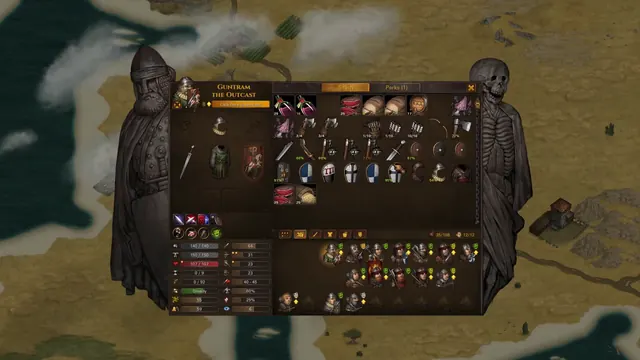
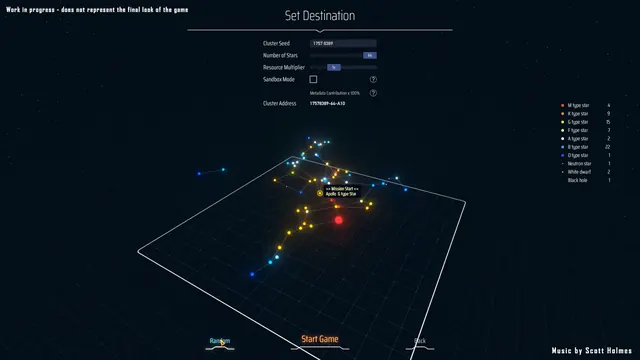
Stat rows are rows of labeled stats, one per line: a tool's four qualities, a delivery quota, a night's earnings. They are the simplest arrangement in game UI, and they work because a row is the easiest thing to scan.
71 screens across 44 games in the Gallery.
What good looks like
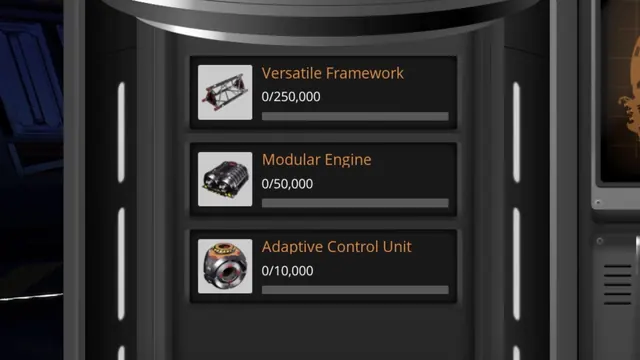
- Each row is one fact with its unit: the Satisfactory Space Elevator shows 0/250,000, 0/50,000, and 0/10,000 on one terminal.
- Next values show before you pay: the Abyssal Lapidary tool screen shows each stat's next value.
- The rows share one format so the eye moves down, not around.
- Totals and targets sit at the end of the row.
Examples from the Gallery


Frequently asked questions
What are stat rows in game UI?
Stat rows are rows of labeled stats, one per line: a tool's four qualities, a delivery quota, a night's earnings. They are the simplest arrangement in game UI, and they work because a row is the easiest thing to scan.
Which games show stat rows well?
Hardspace: Shipbreaker, Abyssal Lapidary, Battle Brothers, Dyson Sphere Program, and Kenshi have the most stat-rows screens in the Gallery. The Satisfactory Space Elevator terminal is the clearest example: the game's whole progression contract fits on one physical screen.