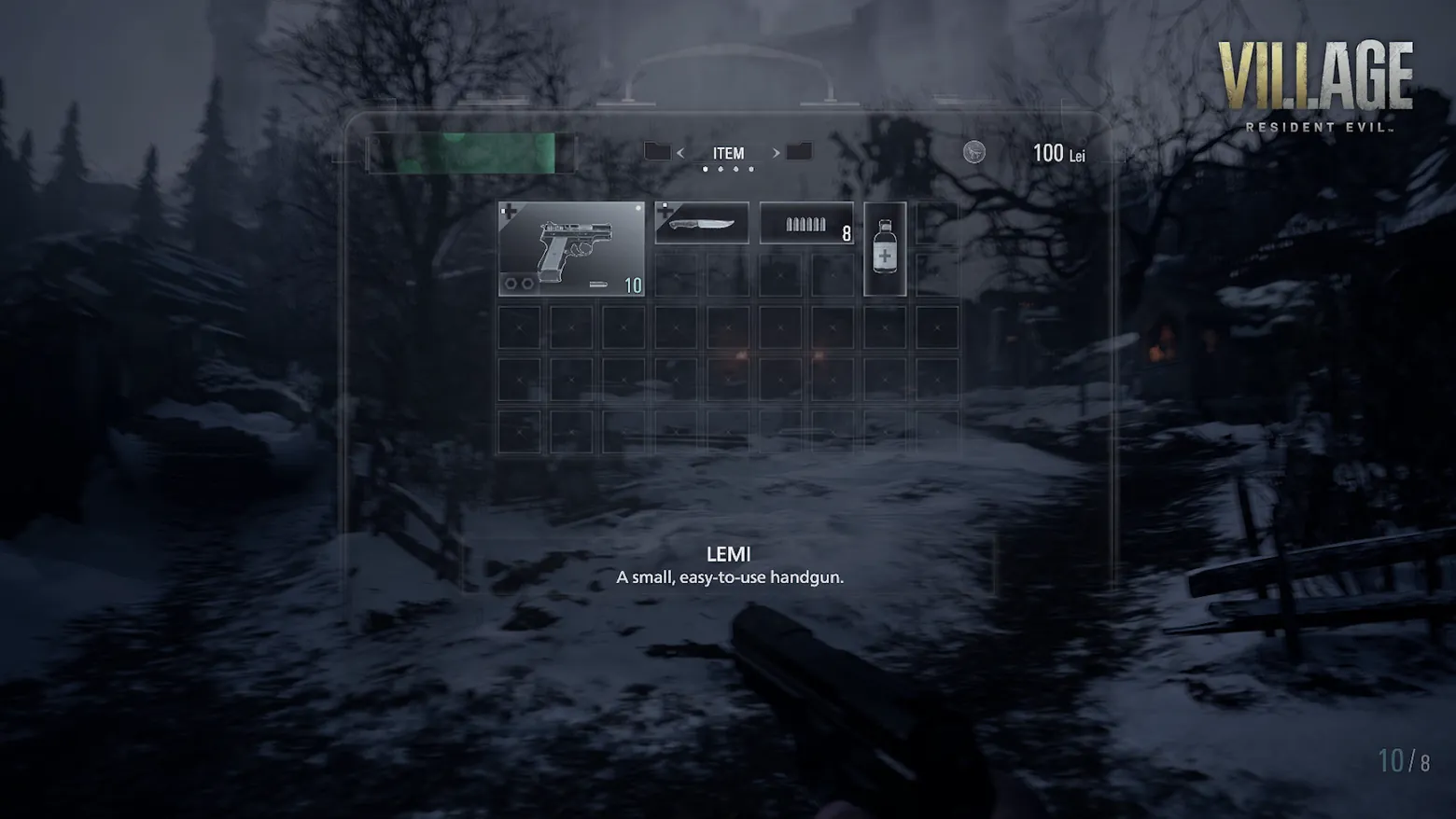
Inventory grid: LEMI handgun selected, ITEM tab, 100 Lei, over the snowy village
Resident Evil Village · HUD & Gameplay UI
Art style Realistic 3D
About this game
Developer: CAPCOM Co., Ltd. · Publisher: CAPCOM Co., Ltd. · Platform: PC (Steam) · Art style: Realistic 3D · Screen type: HUD & Gameplay UI
More Resident Evil Village screens in the Gallery
What to study
The only settled inventory screen in all four Steam videos: Village's attaché-case inventory floats translucent over the live game world instead of cutting to a separate screen, so the snowy village stays visible behind the grid. The lesson is the inventory as an overlay, not a mode: health bar, Lei currency and the ITEM tab header share one panel, the selected LEMI handgun gets a large slot with its ammo count, and the item description sits below the grid rather than beside it. Frame at 175s in the Special Developer Message (Steam), sourced from the 1 fps dense scan. The scene pass missed it because the panel fades in over a static shot with no scene cut.
Patterns
How the screen is arranged.
hud-overlay slot-grid tabbed-panel resource-readout detail-panel status-row
Screen inventory
- translucent briefcase-shaped inventory panel over the snowy village scene
- 'ITEM' tab header with < > arrows and a 4-dot tab indicator
- green health bar top-left of the panel
- '100 Lei' currency top-right with a coin icon
- slot grid: LEMI handgun selected (10 ammo, 2 attachment dots), knife, handgun ammo x8, first-aid med bottle; empty slots below
- item detail bottom-center: 'LEMI / A small, easy-to-use handgun.'
- ammo counter '10/8' bottom-right; the LEMI handgun visible in first-person at bottom
- 'VILLAGE / RESIDENT EVIL' logo bug top-right (Special Developer Message branding overlay, not game UI)
Top 3 colors
#04060c 26%#0f141f 20%#1d222e 16%
Top three palette colors by share. The remaining colors make up the rest.
Source and credit
© CAPCOM Co., Ltd., Resident Evil Village screenshot: Resident Evil Village Steam trailers (Special Developer Message), shown for design study and commentary. PlayCraft is an unofficial fan project, not affiliated with or endorsed by CAPCOM Co., Ltd..
Source tier 2 (publisher-released) · screenshot: Steam store page · Steam page
Source details
Fetched 2026-11-07. verified 2026-11-07: dense frame inspected visually at full 1920x1080 resolution; ITEM tab header, health bar, '100 Lei', LEMI handgun slot with 10 ammo, knife, 8 handgun ammo, first-aid med, 'LEMI / A small, easy-to-use handgun.' detail and '10/8' ammo counter all legible; held settled for ~9s (t=173-181s), frame at t=175s is mid-hold and fully opaque. Caveat: the 'VILLAGE / RESIDENT EVIL' logo bug top-right is the Developer Message's branding overlay, not game UI; the panel itself is translucent by design (the game world shows through)
Capcom Video Policy (https://press.capcom.com/Video-Policy, re-checked first-hand 2026-11-07 at ingest time; Last Updated January 6, 2021, FAQ last updated March 15, 2021; mirrored at https://www.capcom-europe.com/video-policy/). Applies to IP owned by Capcom. Permits walkthroughs, tutorials, Let's Plays, speedruns, reviews, reactions, instructionals, and other 'commentary' style videos using Capcom game footage on YouTube, Twitch.tv, your website, or other video/streaming sites, with commentary tied to live gameplay providing instructional or educational value. Rules: do not share game footage online without adding your own video or content unless the console/device permits sharing; do not split game content into components (visual, vocal, in-game elements) and distribute them as separate content; fan content may not be promoted as official Capcom content; non-commercial use only except permissible monetization (partner programs/advertising on video-sharing services; voluntary contributions if also free to the public). Prohibited: pre-release/leaked content, third-party programs/devices that circumvent protection, inappropriate content, video capture of Capcom Publications. Effect clause: 'this policy is a guideline... It is not intended to be, nor should be considered as, express permission nor an official license or authorization.' FAQ allowed examples: content recorded/edited/posted using the console/device or a feature of the game software; if capturing through separate software, content should be transformative or offer commentary/instructional/educational value. FAQ not allowed: separating individual in-game elements and posting them as-is; posting in-game cut-scenes separately on their own without gameplay. No RE Village-specific posting guidelines found on the game's official website (the FAQ says game-specific guidelines, where they exist, live on the game's official website). FIT CAVEAT: the grant is real and covers this exact title, and the Gallery's per-screen study notes are educational commentary, which leans toward the FAQ's transformative/educational allowance, but the policy is written for VIDEO creators posting videos, not for extracting still frames from official trailers into a still-image catalog, and the 'do not share footage without adding your own content', 'do not split content into components', and 'not express permission nor a license' clauses mean a still-image Gallery entry sits at the edge of its wording. Standing fallback: stills from the publisher's own official Steam trailers, unofficial, not endorsed, takedown honoured within 48h.
Rights holders: see Copyright & takedown.
Similar screens
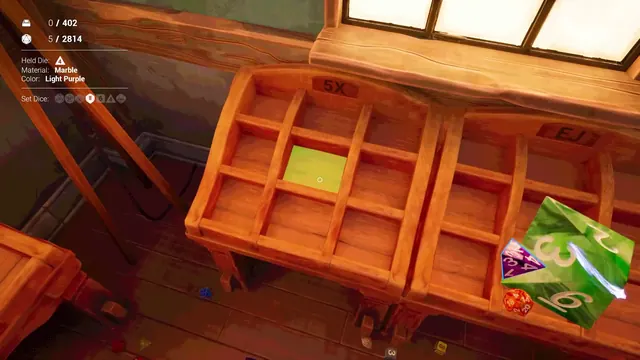 Dice Hoarder - Sorting trays 5X and EJ with the full HUD, empty-tray state
Same type: HUD & Gameplay UI; Shared patterns: hud-overlay, slot-grid, status-row, resource-readout
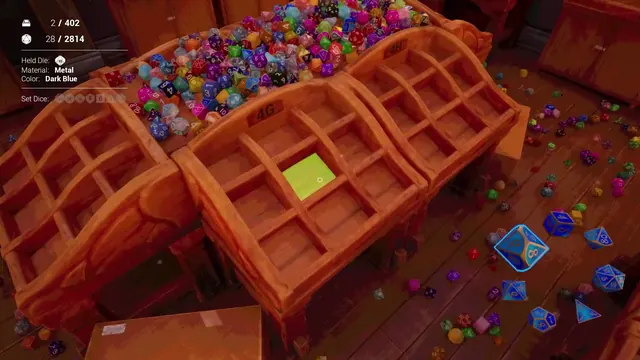 Dice Hoarder - Sorting loop in one frame: unsorted box above, trays below
Same type: HUD & Gameplay UI; Shared patterns: hud-overlay, slot-grid, status-row, resource-readout
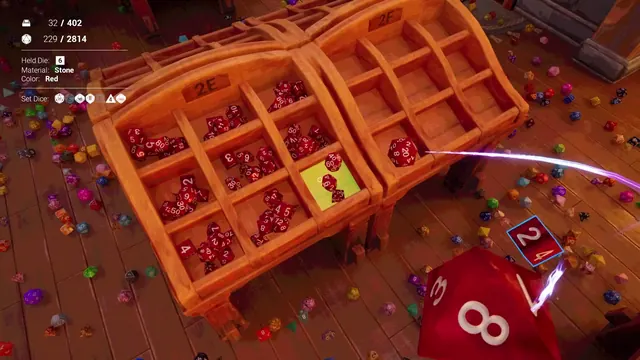 Dice Hoarder - Sorting trays 2E and 2F filled with sorted red dice
Same type: HUD & Gameplay UI; Shared patterns: hud-overlay, slot-grid, status-row, resource-readout
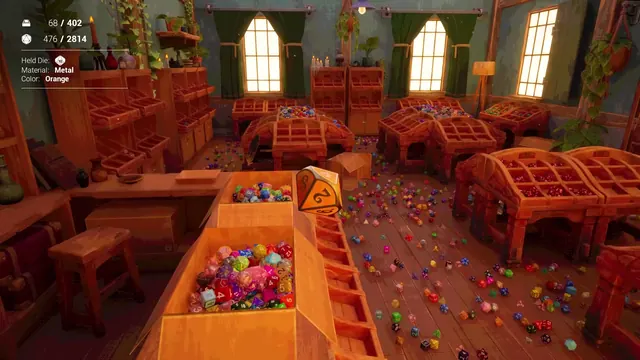 Dice Hoarder - Wide shop floor: dice boxes, tray rows, scattered dice, HUD
Same type: HUD & Gameplay UI; Shared patterns: hud-overlay, slot-grid, status-row, resource-readout
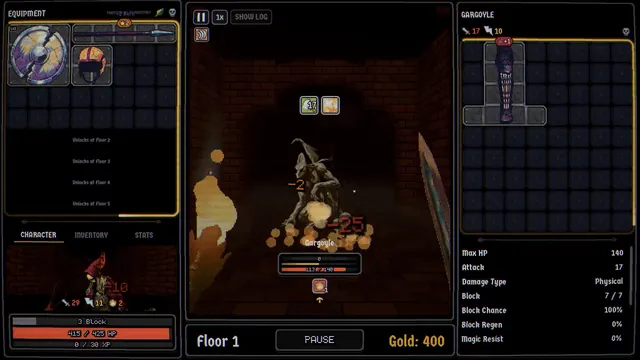 Dungeonbound - Combat: Gargoyle with its own inventory grid and stat panel
Same type: HUD & Gameplay UI; Shared patterns: hud-overlay, slot-grid, status-row, resource-readout
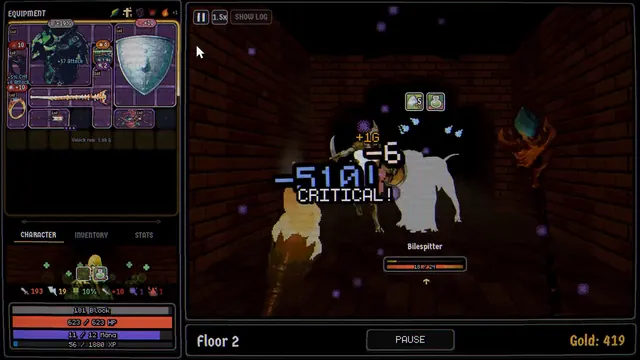 Dungeonbound - Combat: Bilespitter, -510 CRITICAL, mana bar and potions
Same type: HUD & Gameplay UI; Shared patterns: hud-overlay, slot-grid, status-row, resource-readout